Sort a view
Use sorting to change the order in which assessments are displayed in an assessment view on the Entity management page.
To change the current sorting:
Select the button. The Add a sort drop-down is displayed, showing any sorting options that are currently applied.
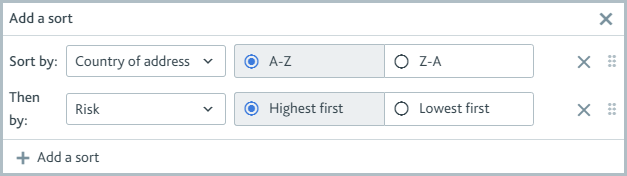
Modify the sorting options:
To change a sorting option that's currently applied, select the drop-down option, for example, , or select a different sort order, for example, .
To add a sort option, select and choose the options as prompted.
To remove a sort option, select the next to it.
To rearrange a sort option, select the Reorder icon next to it and drag it to a new position.
Your options are applied as soon as you select them. They'll remain applied even if you navigate to a different tab, open Maxsight in a new window of your browser, or sign out and sign back in.