About IP allow listing in Maxsight
This topic explains how IP allow listing restricts access to your account to approved IP addresses, its role in security, interaction with SSO, and key considerations for enabling or managing the allow list.
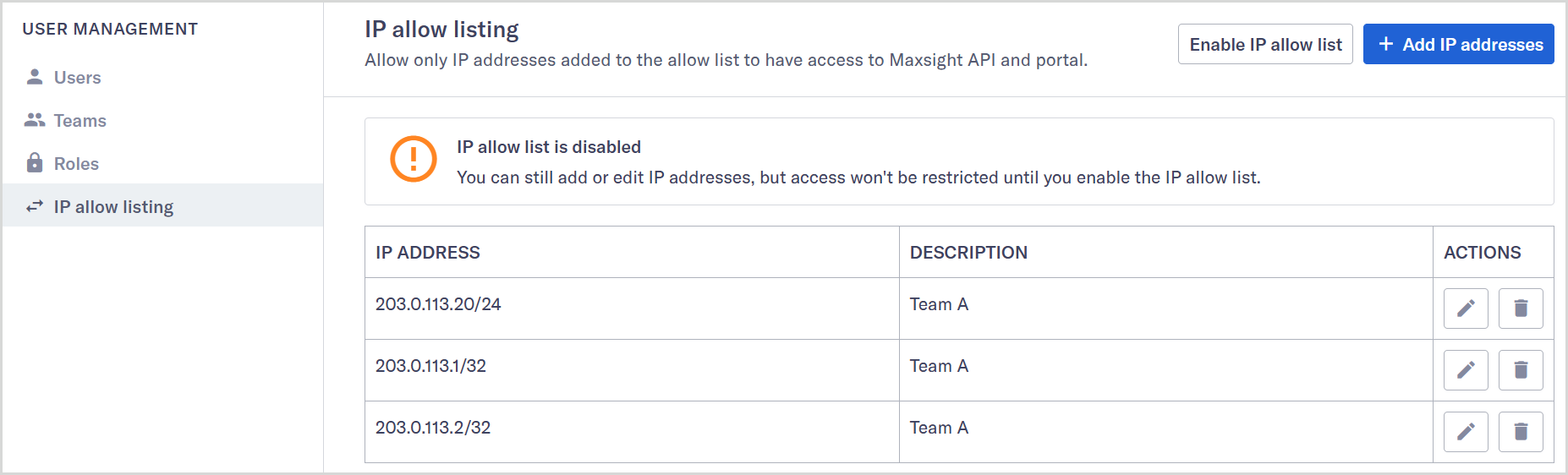
IP allow listing is a security feature in the platform that restricts access to your account based on authorized IP addresses. When allow listing is enabled, only requests from IP addresses on your allow list can sign in or make API calls. This helps you control access and meet audit requirements.
Allow listing applies at the account level in the platform. Our support team always retains access so we can assist you when needed. Contact our Client Service team if you need help.
Note
If your organization uses federated SSO, enable allow listing through the platform only. Avoid using Okta's allow listing feature at the same time. If both lists are active, they will apply together for SSO sign-ins, which can lead to unexpected behavior.
IP allow listing does not replace other security measures, such as user roles or authentication policies. It works alongside them to provide an extra layer of control.
Allow listing is disabled by default. You can add, remove, or edit IP addresses while the allow list is disabled. If you enable allow listing without adding your IP address, you'll lose access and need the Client Service team to help you regain it.