Import smart policies
Once you have made changes to a smart policy, you can export these changes and import the smart policy to another institution, sharing those changes automatically.
Prerequisites
You have Read and write permission for the Policy Builder as well as access permissions for policy import and export.
You are using policy versioning.
To import a policy:
Navigate to the tab.
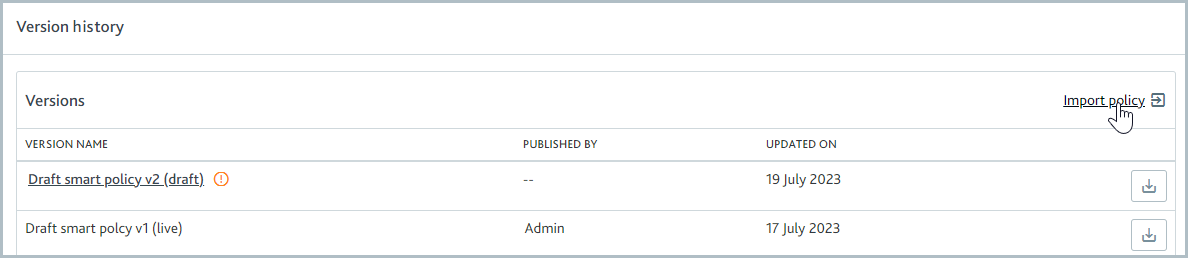
Go to Version history and select Import policy.
Select the button or drag your edited smart policy into the perforated lines. The packaged content of your smart policy is shown.
Deselect any changes that you do not want to import. By default, all changes are selected for import.
Configurations that have dependencies on one another will be automatically selected or deselected when a related dependency is selected or deselected.
Select . This will create a new draft of your smart policy that includes all the elements you selected in the previous step.
Note
This action will discard any existing drafts that you had prior to starting the import.