Reset contact password in Grid
As a Web Admin, you may be required to unlock a locked account and reset a password for an active user.
Prerequisites
Users must be assigned to the Web Admin role to perform contact management operations.
To reset an active user's password:
Go to > .
The Contact Search page is displayed.
Add the search criteria to locate the user, and then select to display results.
Note
Search criteria can include any combination of the following: User Name (ID), Role, Email Address, First Name, and Last Name.
To view all contacts, leave all search fields blank, and then select .
Select to view both active and inactive users in your search results. However, this operation is only available for active users.
Select .
The Reset Contact dialog box is displayed.
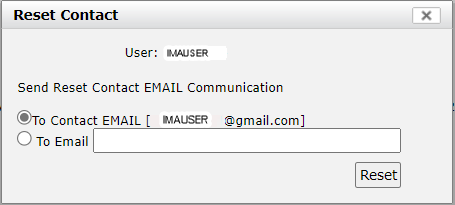
If the displayed user email address is valid, select .
If the address is no longer valid or a different address is provided, select and enter the alternate email address.
Select .
After you have completed these actions, an email is sent to the user with their next step instructions.