View inquiry detail report for "No Match Found" results in Grid
View the inquiry detail PDF report for "no match found" search results in Grid.
Inquiries without alerts can also be viewed by downloading a PDF that shows no matches were generated for a specific inquiry.
To view the inquiry details:
Go to Grid > > > .
Add search criteria to desired fields.
Select .
Note
To view all batches, leave the search fields blank and select .
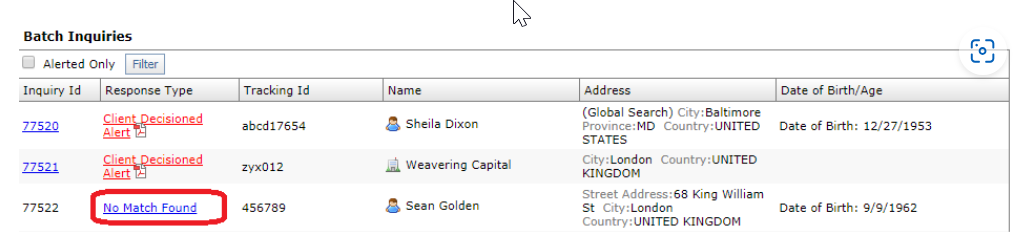
Select the link to view the Batch Summary and Batch Inquiry panels, which display the list of all the inquiries in that batch and their response codes.
Select the link in the Response Type column.
In Downloads, open the file to view the PDF.